



Benefits
Define exactly what each user can create, view, edit, or delete across your entire IoT deployment.
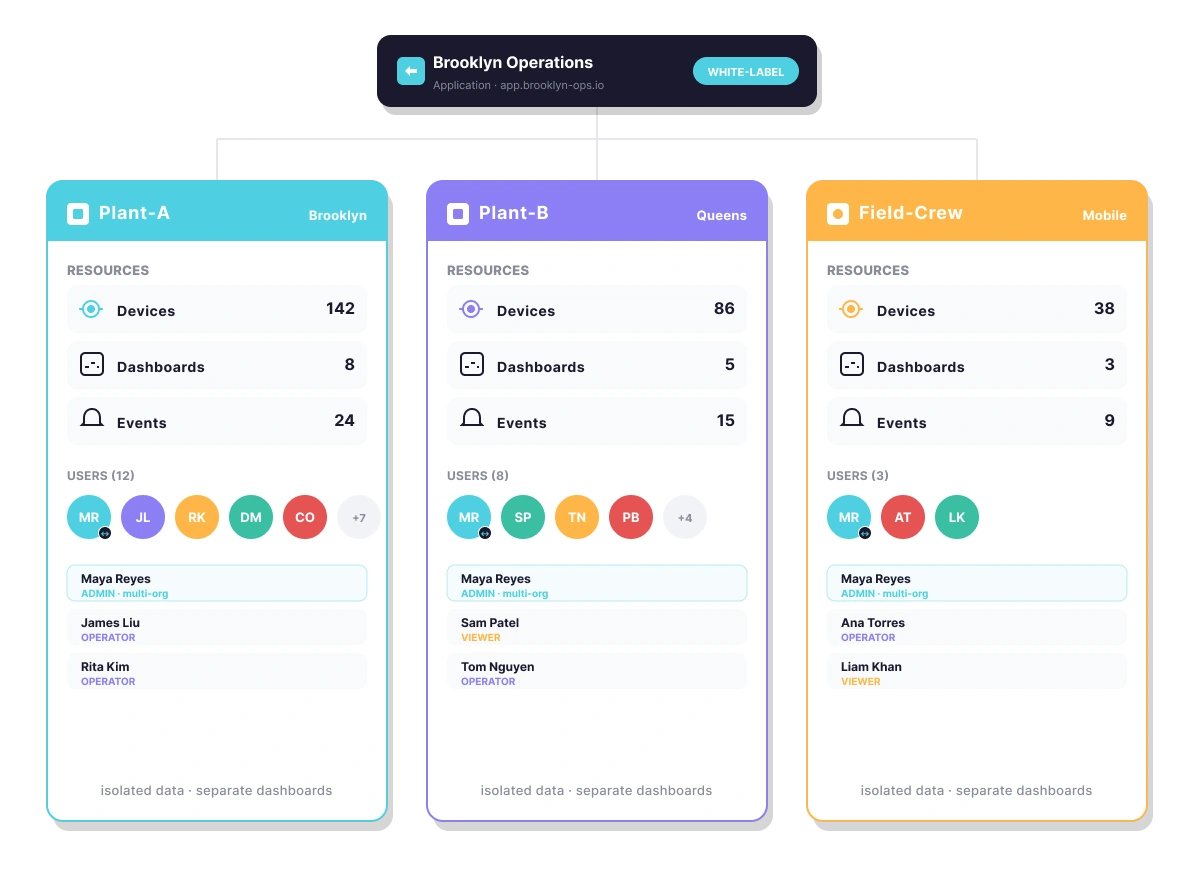
Subdivide your operation into organizations to serve multiple clients or departments from a single account.

Password-protected accounts with role-based permissions ensure users only see what they're meant to.

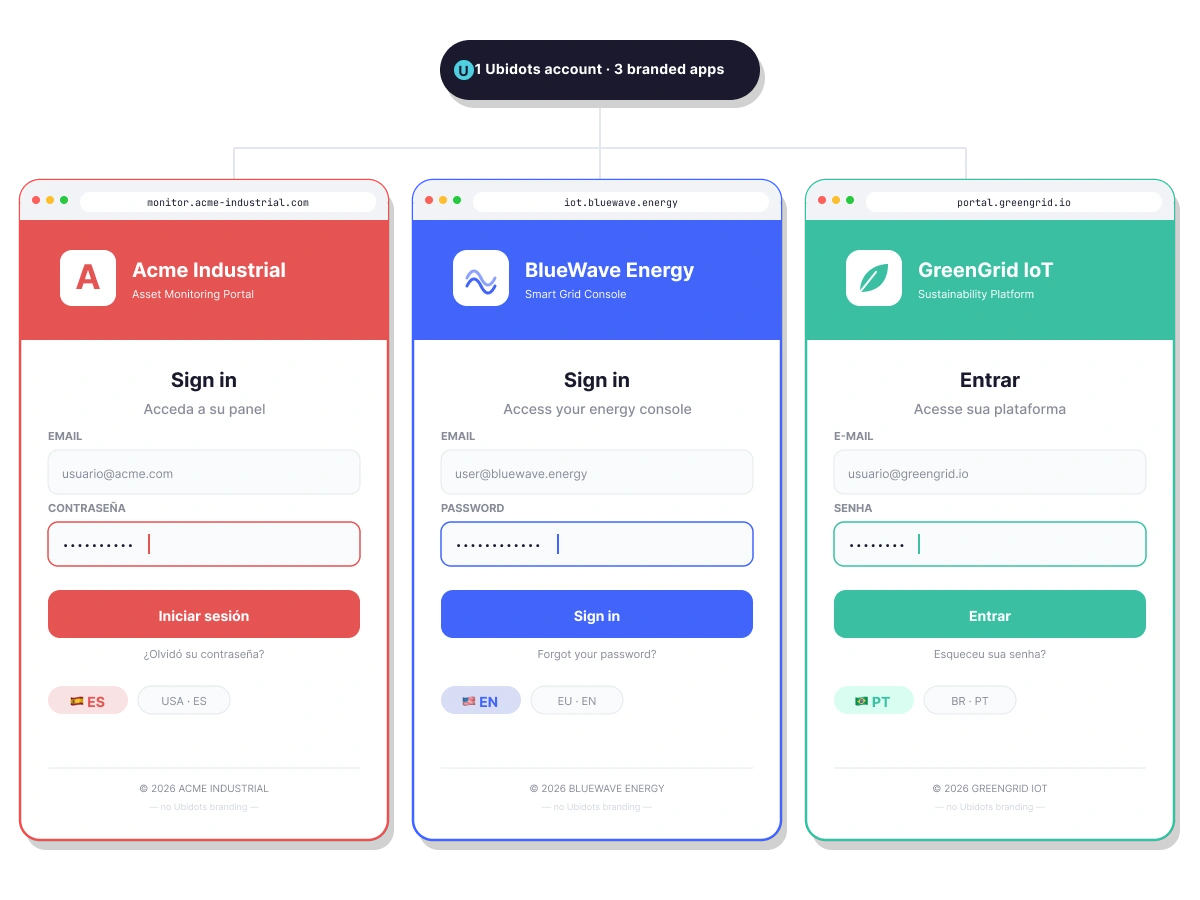
Customize your application portal with your own domain, logo, colors, and language for each branded experience.

From a single team to hundreds of end-user deployments, the app → org → user structure scales with your business.
Use tags to automatically restrict what resources each user sees when they log in.

See It in Action


How it Works
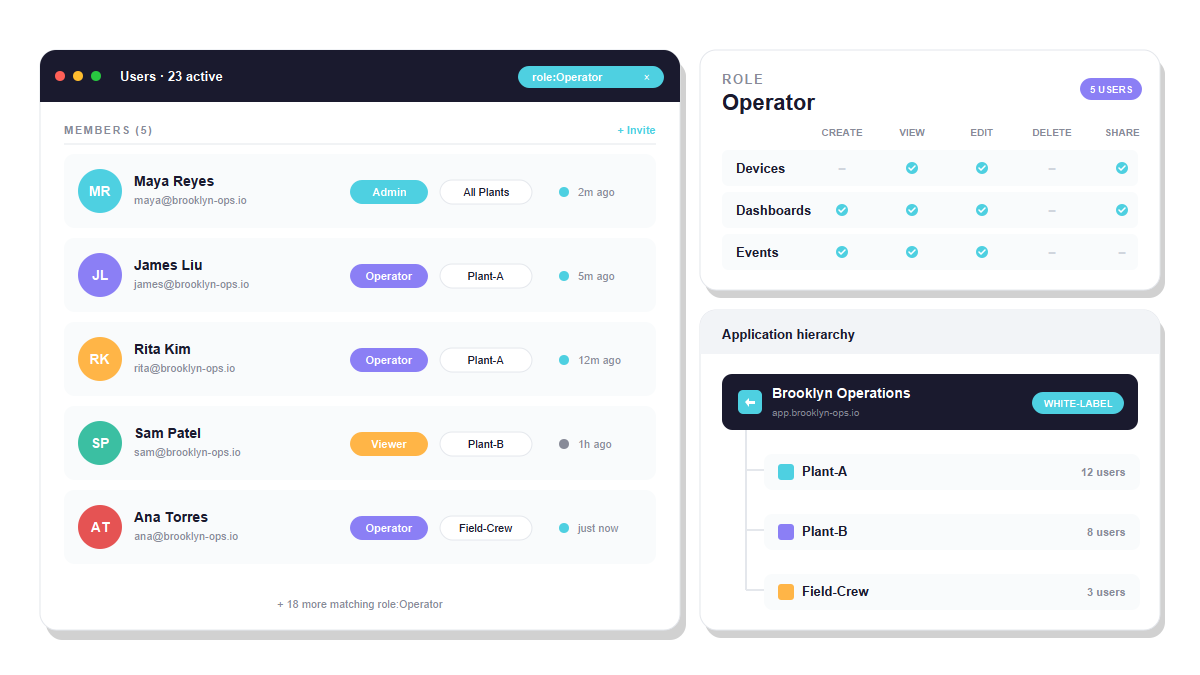
End-User Management gives you a structured hierarchy — Applications, Organizations, and Users — so you can manage complex multi-tenant IoT deployments without losing control over who sees what.
Group devices, dashboards, and events into organizations that represent your clients, departments, or locations. Assign users to one or multiple organizations with the access level they need.

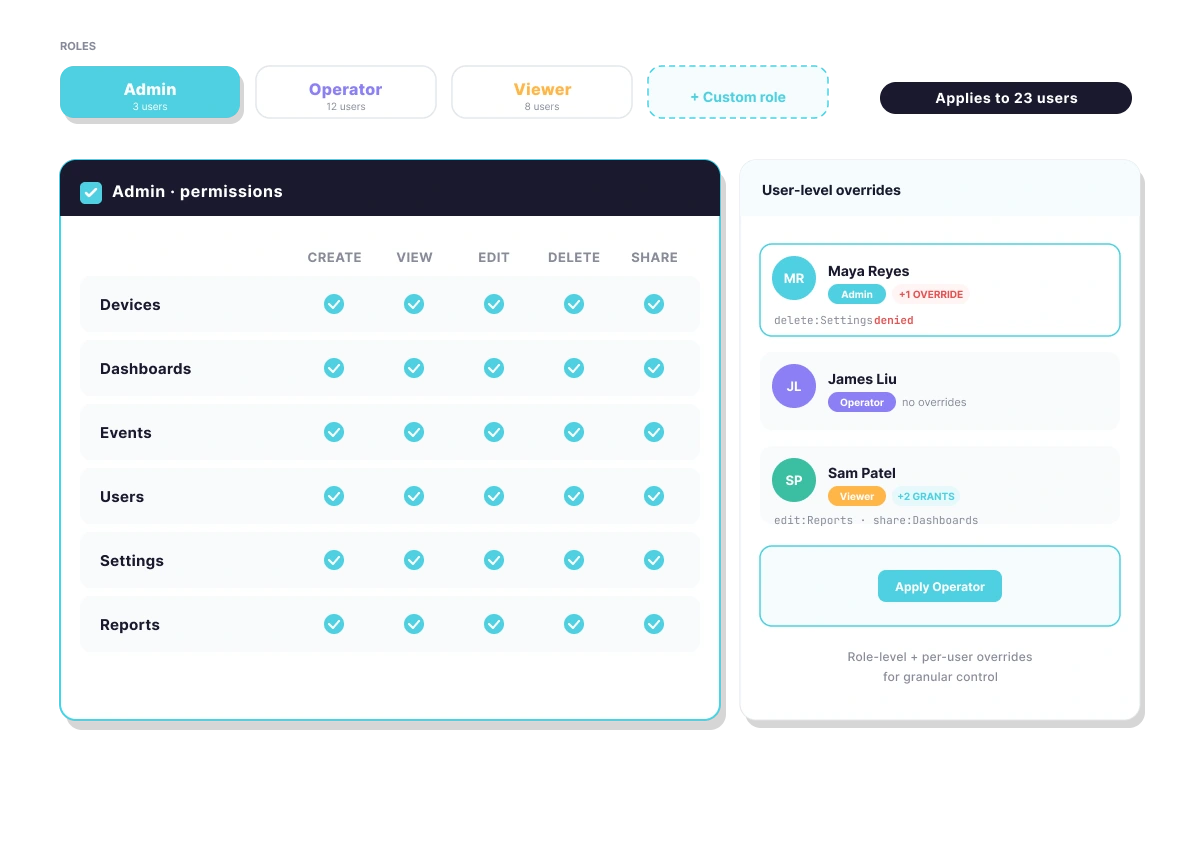
Define roles that determine what each user can create, view, edit, or delete. Apply permissions at the user level for granular control or use grouped settings for faster onboarding.
Configure your user-facing portal with a custom domain, logo, language, and feature set. Run multiple branded applications from a single Ubidots account for white-label deployments.

Key Features
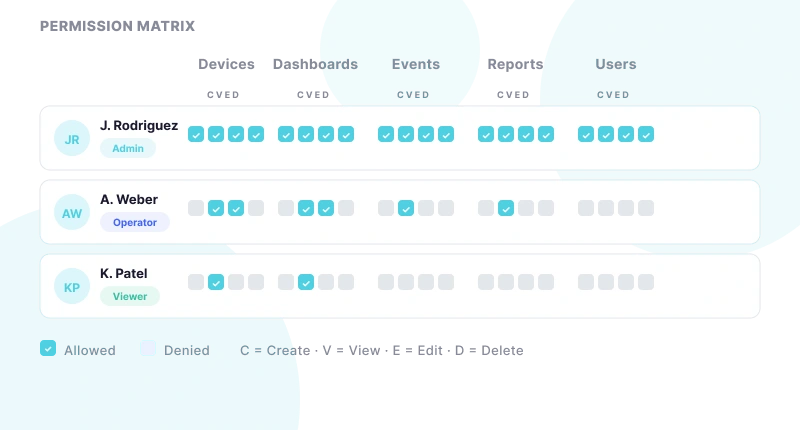
Assign create, view, edit, and delete permissions per user to control exactly what each person can do.
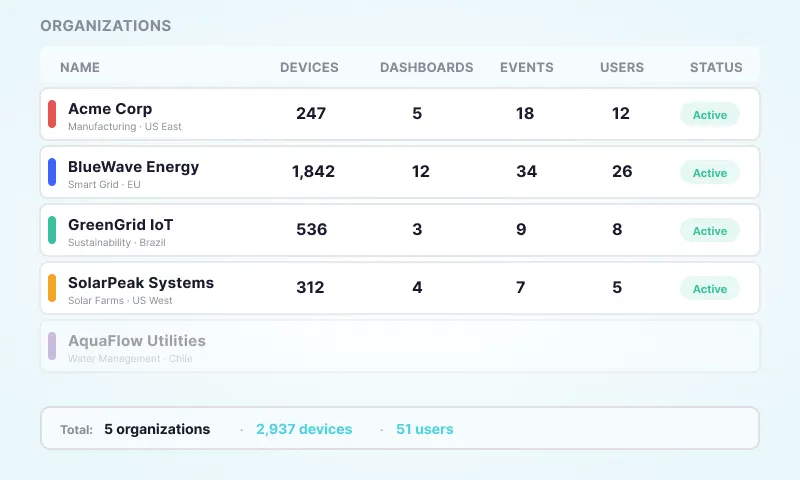
Group devices, dashboards, and events into organizations representing clients, departments, or locations.
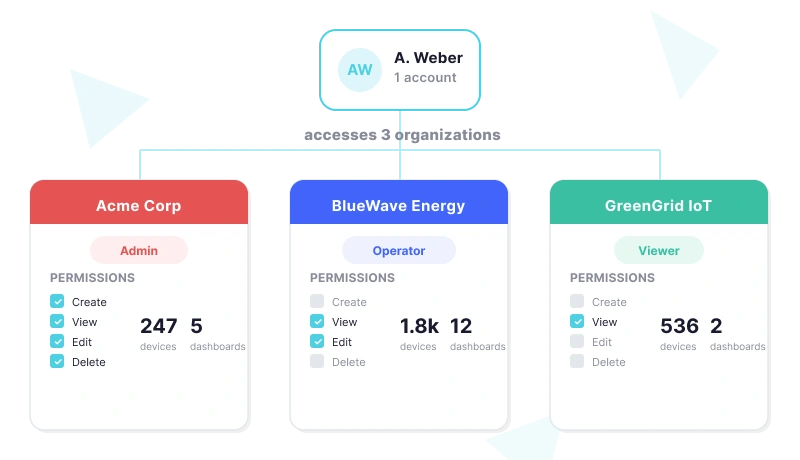
Grant users access to one or multiple organizations from a single account without duplication.
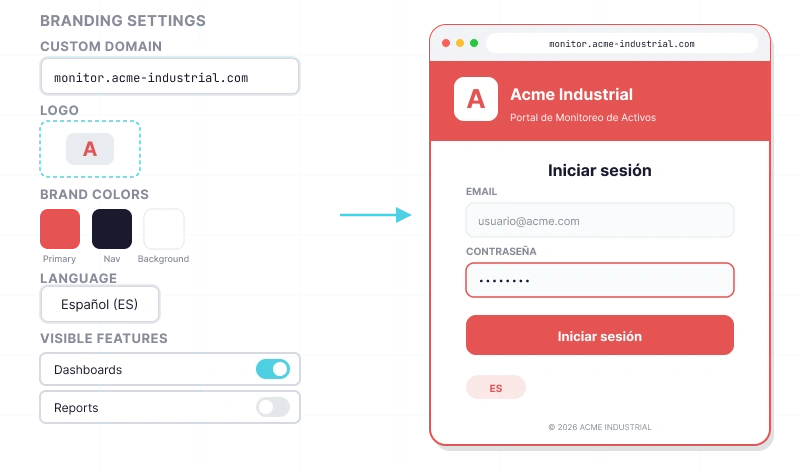
Customize your user-facing app with a custom domain, logo, language, and branding for each deployment.
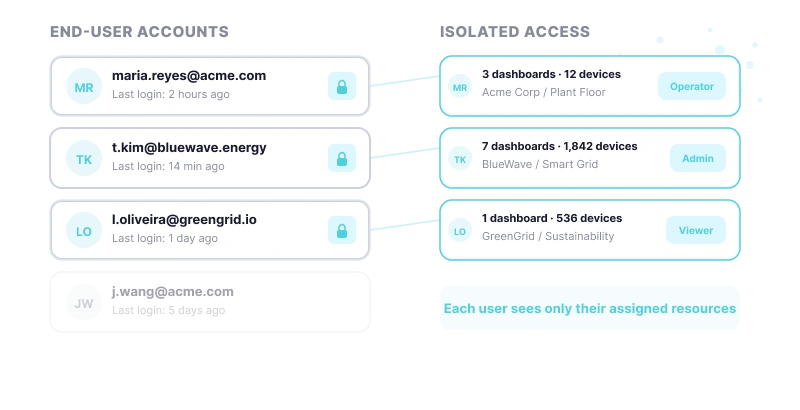
Create secure individual accounts for every end user with isolated access to their assigned resources.
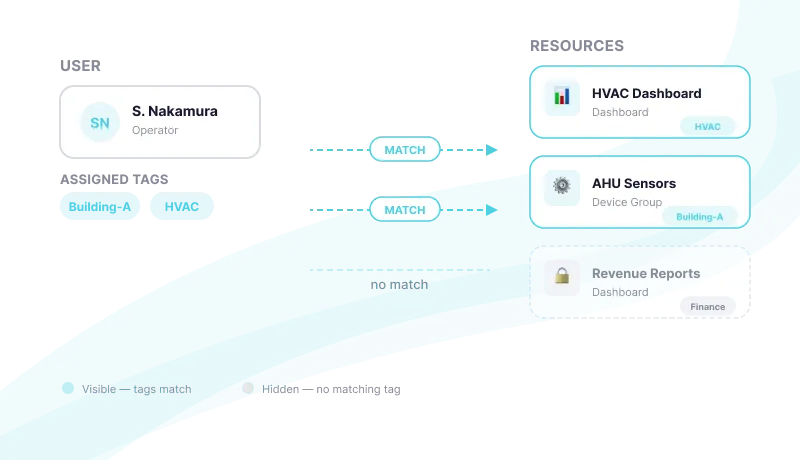
Restrict what each user sees by matching tags on users to tags on devices, dashboards, and events.
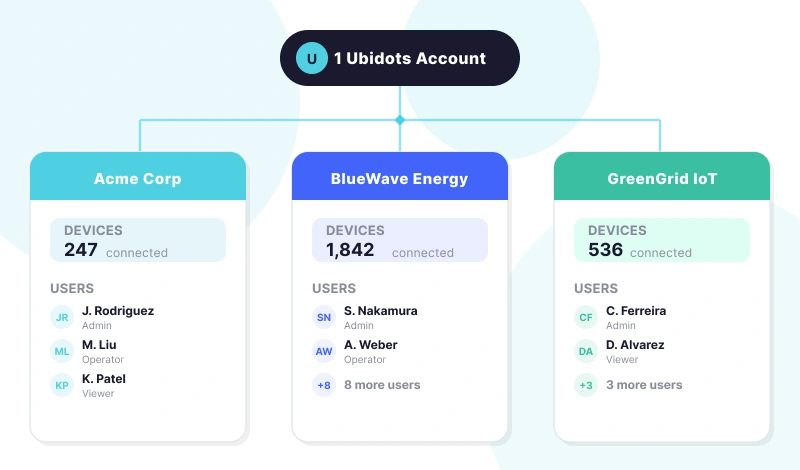
Serve multiple independent clients from a single Ubidots account using isolated organizations per customer.
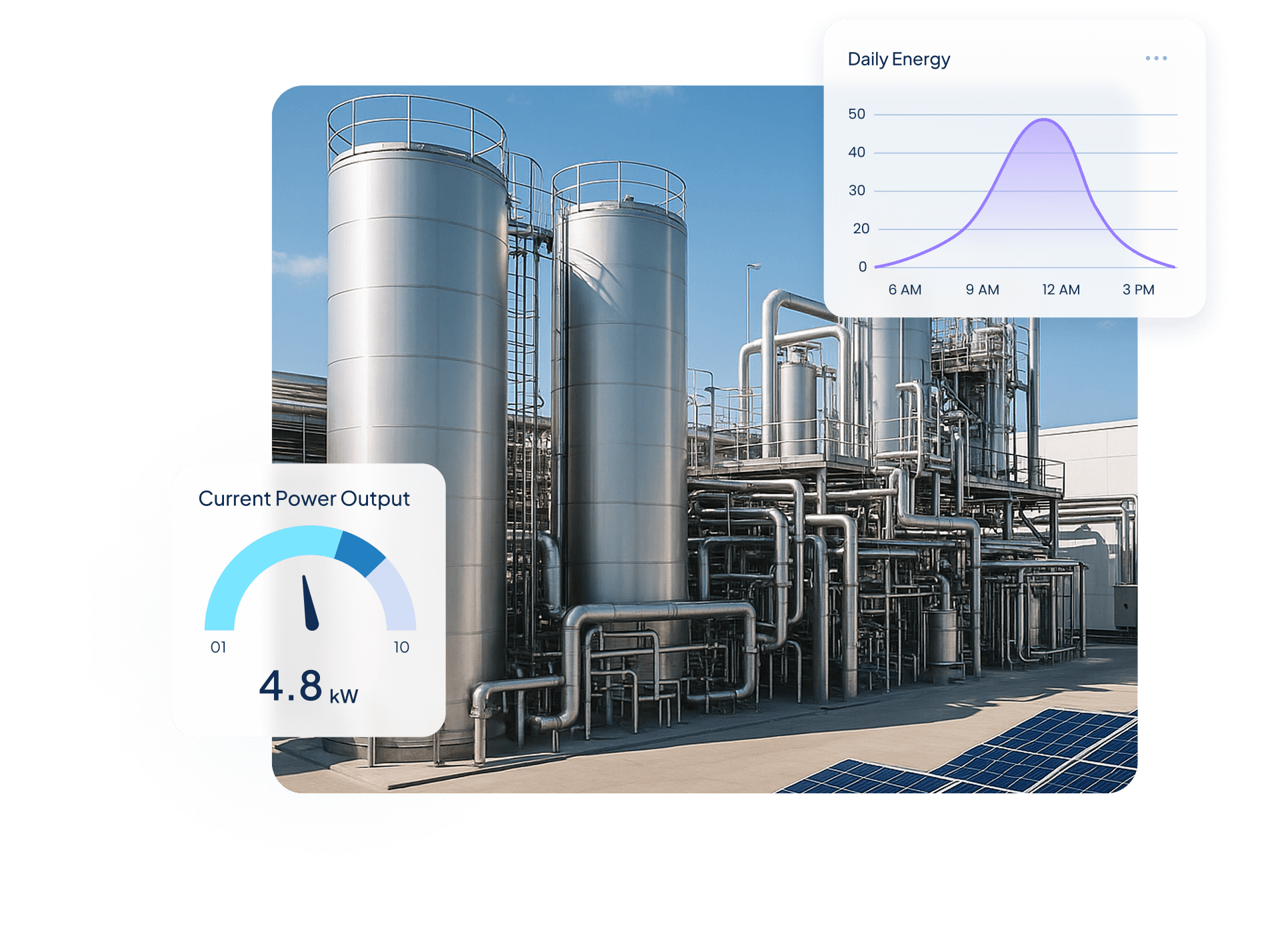
Quantify Environmental uses wireless IoT sensors and Ubidots dashboards to turn utility data into real-time insights, helping industrial clients monitor water, energy, and gas use, detect inefficiencies, and act before costs rise.

$250,000+ in annual client savings through optimized water, electricity, and gas consumption.
Millions of liters of fresh water conserved and tons of CO₂ emissions prevented driving measurable sustainability outcomes.
Improved operational oversight with real-time visibility into utility usage and equipment performance.
Success Story


Use Cases


Steve Barker
Founder & CEO
Prospect Control uses Ubidots to deliver remote tank level monitoring for industrial customers, replacing complex PLC/SCADA setups with a scalable, web-based IoT solution.
Results:


Darryl Schembri
General Manager
AIS Technology uses Ubidots to monitor electricity, water, and gas consumption across multi-tenant buildings, enabling real-time visibility, automated billing, and faster response to inefficiencies.
Results:


Onofre Tamargo
CEO & Cofounder
S4IoT uses Ubidots to remotely monitor irrigation systems in urban gardens, helping clients reduce maintenance costs, prevent plant loss, and shift from manual operations to a scalable subscription-based model.
Results:


Help & Support
Have questions about Ubidots? Here are some ofthe most common queries to help you get started.

An App is a branded IoT portal that defines the visual experience, domain, language, and features end users see when they log in. An Organization is a container inside an App holding devices, dashboards, events, and users. Use multiple Organizations for separate clients sharing the same interface; create a new App only when clients need a distinct white-label branding experience.
Create a separate Organization for each client within a single App. Each organization is isolated — its devices, dashboards, events, and users are invisible to other organizations. Assign each client’s users to their organization with the appropriate role. If clients need distinct branded portals (custom domain, logo, colors), create a separate App per brand.
Yes. A single user account in Ubidots can be granted access to one or multiple organizations within the same App. This is useful for administrators or technicians who need visibility across several client sites or departments simultaneously. Each organization can have a different role assigned to the same user, giving you per-organization permission control.
User permissions in Ubidots are controlled through Roles, which define what a user can create, view, edit, or delete within the organizations they belong to. Ubidots includes four built-in roles (Explorer, Viewer, Dashboard Viewer, and Manager), and you can create custom roles with any combination of permissions to match your exact access control requirements.